
We are going to look into some best security architecture of AWS Sagemaker. By default AWS Sagemker is a managed sevice and everything is managed my the AWS, and not the customer.
Image courtesy- AWS
Secure Deployment patterns:
1. Default architecture: The managed sagemaker VPC is directly connected to the Internet, which is not an ideal architecture from security point of view.

2. The customer can disable the direct Internet connection route it back through their own VPC. Here all the traffic is not being routed through a VPC that's controlled by the customer. The notebook cannot be accessed via open Internet now:

3. Restrict the access to the notebook IAM policy based on IP/ VPC, so that no one can directly access the Notebook via Internet such as through their personal laptop.
 The resultant architecture of above restriction. The user is forced to access the Notebook via corporate IP ranges:

4. Sagemaker default training architecture. This also run in the managed account in managed VPC, where everything goes through Internet gateway, which is not desirable from security prespective.

5. And this is how a more secure architecture looks like, where the Internet connection is turned off and the traffic goes via the customer's traffic. This is achieved by creating an ENI back in customer's account. The cluster of training instances deployed create one ENI ecah for all the instances to the customer's VPC and that's how the traffic is routed to the customer's VPC:
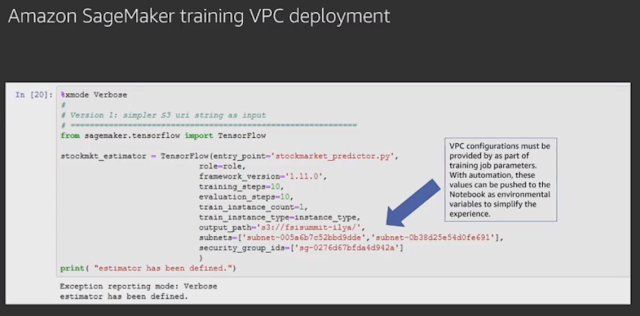
 6. Also while doing training job, the VPC configurations must be set. This can be automated as well.
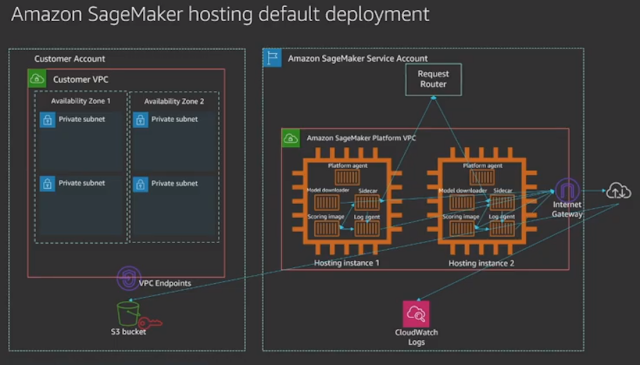
7. Hosting default architecture- all traffic going via Internet:
8. Recommended secure hosting deployment:

9. Recommended restrictive VPC endpoint IAM policy:

Image courtesy- AWS
Secure Deployment patterns:
1. Default architecture: The managed sagemaker VPC is directly connected to the Internet, which is not an ideal architecture from security point of view.

2. The customer can disable the direct Internet connection route it back through their own VPC. Here all the traffic is not being routed through a VPC that's controlled by the customer. The notebook cannot be accessed via open Internet now:

3. Restrict the access to the notebook IAM policy based on IP/ VPC, so that no one can directly access the Notebook via Internet such as through their personal laptop.


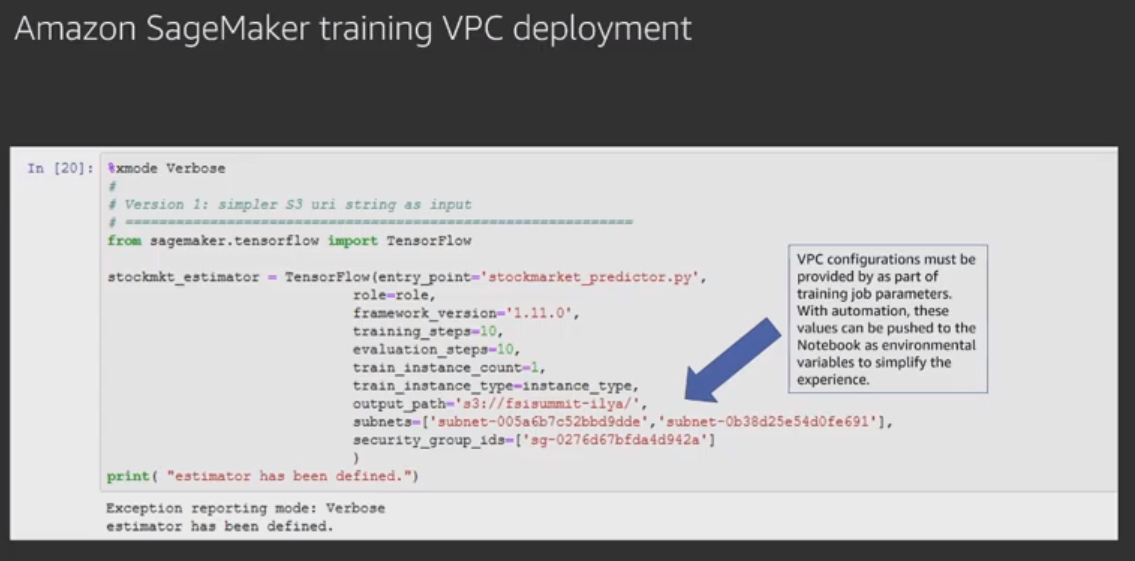
4. Sagemaker default training architecture. This also run in the managed account in managed VPC, where everything goes through Internet gateway, which is not desirable from security prespective.

5. And this is how a more secure architecture looks like, where the Internet connection is turned off and the traffic goes via the customer's traffic. This is achieved by creating an ENI back in customer's account. The cluster of training instances deployed create one ENI ecah for all the instances to the customer's VPC and that's how the traffic is routed to the customer's VPC:

7. Hosting default architecture- all traffic going via Internet:

8. Recommended secure hosting deployment:
9. Recommended restrictive VPC endpoint IAM policy:
Comments